See the record a patient trusts you with.
A patient gives you a 6-character code. Enter it below to view their medications, diagnoses, labs, and the source documents behind every extracted field. No login, no EHR integration, no IT ticket.
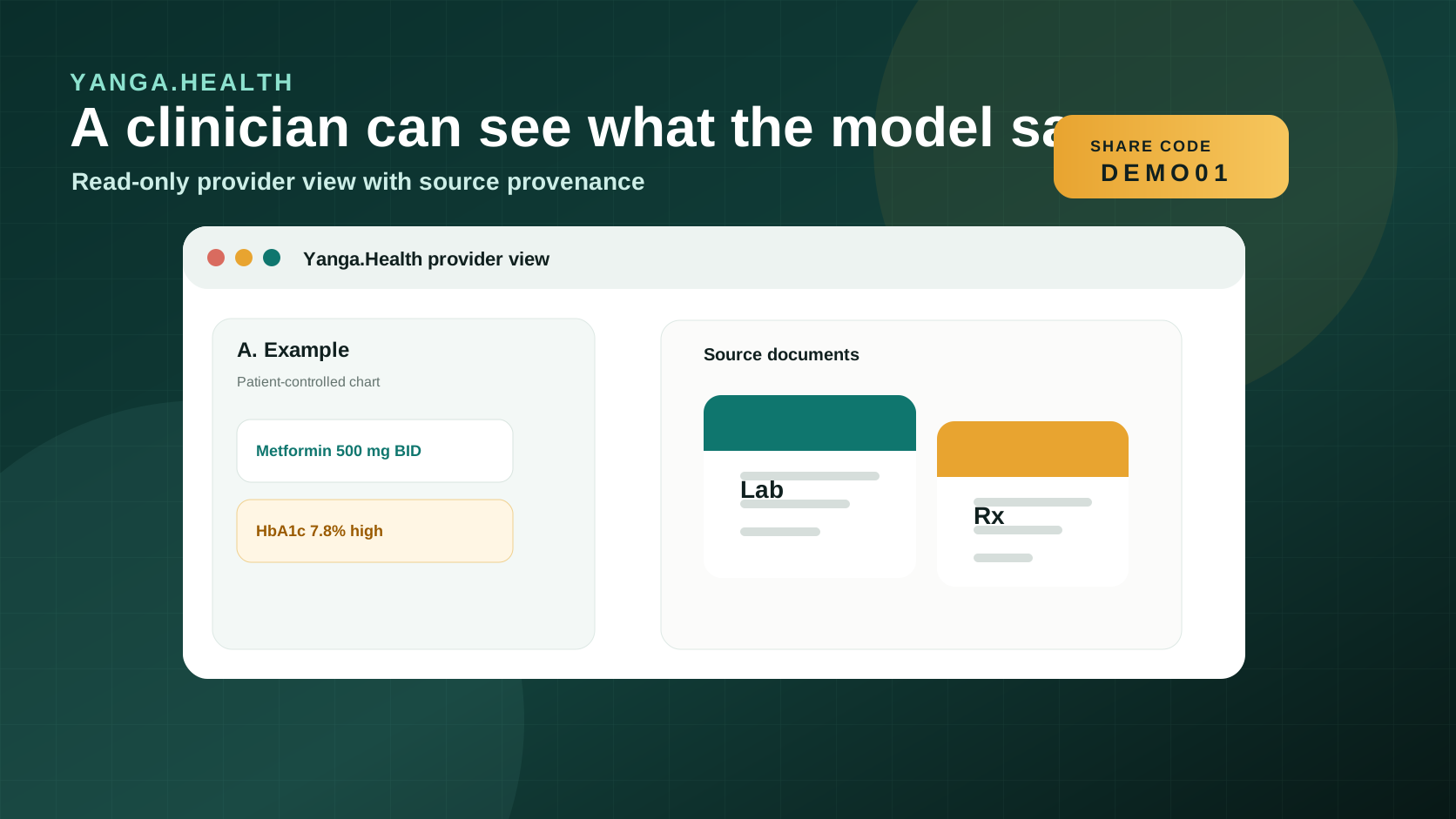
What you see
Source visible
Every extracted field keeps its document trail
Trust calibrated
AI-only, patient-reviewed, or provider-verified
Read only
The chart opens without creating a new editing surface
Clinically grounded
Labs, medications, and provenance stay visible together
How it works
Three steps to see a patient's history
01
Patient generates a code
The patient opens the Yanga.Health app, taps 'Share record', and gets a 6-character code.
Patient-initiated. You cannot request access; the patient must share.
02
You enter the code
Type the code on this page or at the configured provider viewer URL. The record opens immediately. No account, no password, no IT integration.
Works on any device with a browser.
03
Read, verify, and close
Review the record alongside the patient. You can mark the snapshot as provider-verified to increase trust for future visits. The code expires after one use.
Read-only. No edits, no downloads.
The provider view
Everything you need, with the source visible
Yanga.Health does not ask you to trust a black box. Every extracted field shows the original captured image, a confidence score, and who last reviewed it. You can always see what the AI read from the paper.
Structured clinical record
Medications, diagnoses, allergies, lab results, and visit notes, organized and searchable instead of presented as a pile of scanned PDFs.
Source documents visible
Tap any extracted field to see the page it came from. Useful for medications with ambiguous handwriting or lab values that need context.
Trust badges on every field
AI-only, patient-reviewed, or provider-verified. You see exactly how far the data has been validated before it reaches you.
Low-confidence flags
Fields the AI was uncertain about are flagged before they can influence care. You decide whether to act on them or request more information.
Emergency profile
Blood type, chronic conditions, current medications, allergies, and emergency contact, surfaced at the top of every shared record.
Provider verification
After reviewing with the patient, mark the record as provider-verified. This raises the trust level for future clinicians who see the record.
Trust layer
Three levels of confidence on every field.
When AI extracts data from a handwritten lab report, the result is powerful but imperfect. Yanga.Health keeps a visible record of how each field was verified so you can calibrate your trust appropriately.
AI only
The field was extracted from the source image. No human has reviewed it yet. Treat with the same caution as any OCR output.
Patient confirmed
The patient reviewed this field in the Yanga.Health app and confirmed it is correct, or corrected an error. Higher confidence than AI alone.
Provider verified
A clinician reviewed this record with the patient and marked it as verified. The highest trust level in the system.
No setup required
Works on any device. No account. No download.
Provider access is a web page. You do not need to create an account, install software, or connect to hospital IT. If you have a browser and a 6-character code, you can view the record.
No account needed
The share code is the key. Access is tied to the code, not a provider login.
Works on any phone or computer
Optimized for mobile use in clinic settings. No app download required.
No EHR integration
Yanga.Health does not require access to hospital systems, EPR, or LIMS. It works alongside them.
Bilingual
The provider view is available in English and French.
Access a record
Enter the patient's 6-character code
Ask the patient to open the Yanga.Health app and tap "Share record". They will see a 6-character code. Type it below.
Code format
6 characters: letters and numbers, uppercase
Codes are single-use and expire after a short window. If the code is already used or expired, ask the patient to generate a new one.
Type the patient's code here
Common questions
Answers for clinicians
Do I need to create an account?
No. Provider access is code-only. The patient generates a code and you enter it. No registration, no password, no software to install.
Can I edit the patient's record?
No. The provider view is strictly read-only. The patient retains full control of their record. You can mark a snapshot as verified, but cannot change any extracted data.
What if the AI extraction looks wrong?
The source image is always visible. If a field looks suspicious, you can see exactly what was in the original document and use your clinical judgment. You can also ask the patient to correct it in their app.
Can I access the record after the visit?
No. Codes are single-use and expire. Each visit requires a new code from the patient. This is intentional: the patient controls every access window.
Does Yanga.Health replace the hospital EHR?
No. Yanga.Health is the patient's record, not the institution's. It works alongside hospital systems. Anything you see in Yanga.Health, you can document in your own system as usual.
What languages is the viewer available in?
The provider view is available in English and French. Language preference is detected automatically from the browser, or can be set manually.