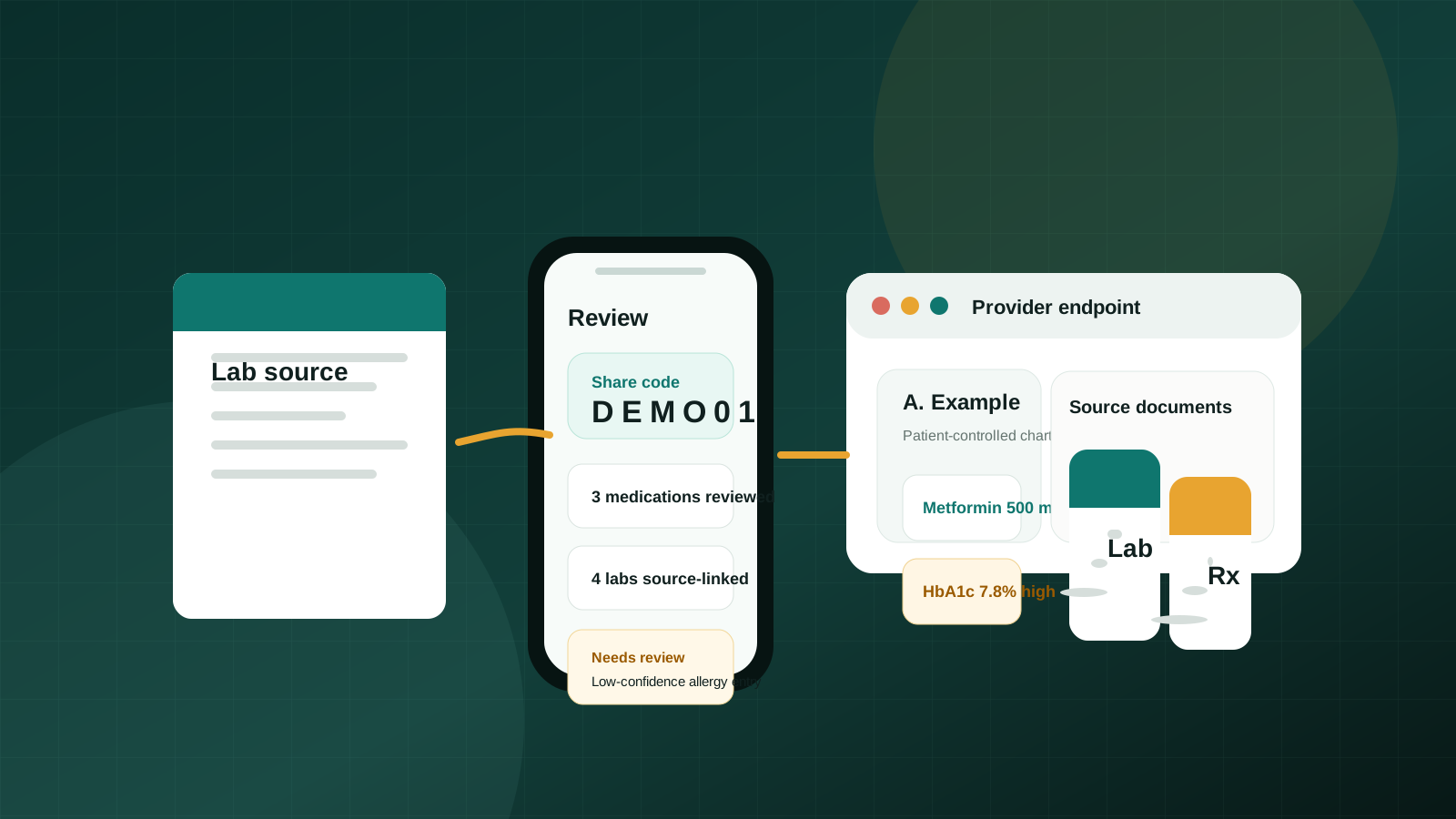
Paper records become a structured chart the patient controls.
This demo follows the exact Yanga loop already in the product: source images are captured, AI structures them, the patient reviews the chart, and a clinician opens a read-only record with a short code.
2
Source pages
11
Structured fields
7
Human-confirmed
DEMO01
Share code
DEMO01 journey
A. Example (demo)
Patient-owned record, staged from scan to share
Current destination
DEMO01
Step 01
Capture
2 source pages photographed on the patient device
Step 02
Structure
11 clinical fields extracted into the chart
Step 03
Patient review
7 fields have human confirmation
Step 04
Provider access
Read-only viewer opens with provenance and trust states intact
Capture
2 source pages photographed on the patient device
Structure
11 clinical fields extracted into the chart
Patient review
7 fields have human confirmation
Provider access
Read-only viewer opens with provenance and trust states intact
Patient upload queue
2 source documents ready
Diabetes follow-up labs
Lab result
Captured Feb 14, 2026
Prescription renewal
Prescription
Captured Nov 2, 2024
No hospital IT dependency
Phone camera is the entrypoint
Patient-owned source
The patient decides which pages enter the record
Traceable start
Every field later links back to these images
Patient capture
The record starts with source images the patient already carries.
Yanga does not wait for a hospital integration. The patient photographs the paper artifacts that already contain the clinical history, and each page is timestamped before any AI step begins.
Why this state matters
Transition state: images are stored privately and ready for extraction.
Structuring engine
11 fields assembled from the scanned record
Diabetes follow-up labs
Follow-up laboratory panel for diabetes management. HbA1c and fasting glucose are above the listed reference ranges. Creatinine and potassium are within the captured reference ranges.
Prescription renewal
Prescription renewal for metformin 500 mg twice daily and lisinopril 10 mg daily. The prescriber name is partially illegible in the source image.
AI extraction
Vision model + chart mapper
Diagnoses
3 fieldsMedications
3 fieldsLabs
3 fieldsClinical categories
3 diagnoses, 3 medications, 4 labs
Trust separation
AI-only, patient-reviewed, and provider-verified remain distinct
Source-linked extraction
Documents stay visible beside the chart
AI structuring
The documents become a chart, but the source pages stay visible.
Yanga extracts labs, medications, diagnoses, and summaries into structured tables. It does not collapse the provenance. Low-confidence items remain obvious, and the chart keeps enough context for clinical review.
Why this state matters
Transition state: extracted fields are staged with trust signals before the patient shares anything.
Patient review
Human review before provider access
3
Provider verified
4
Patient reviewed
4
AI only
Emergency profile
Diagnosis
Type 2 diabetes mellitus
From chart history, 2023-03-10
Medication
Lisinopril 10 mg Daily
Patient reviewed from prescription renewal
Lab
HbA1c 7.8 %
Flagged high against reference range
Medication
Loratadine 10 mg PRN
AI-only until the patient confirms the PRN history
Ready to share
Patient generates the short code when the visit begins.
Patient control
Sharing happens after review, not before
Clinical caution
2 AI-only items remain visible until corrected
Visit readiness
Emergency data and short-code sharing live in the same record
Patient review
The patient sees the structured chart before any clinician does.
The patient review step is where Yanga becomes patient-owned rather than scan-and-forward. Human confirmations are visible on each field, low-confidence entries stay open for correction, and the emergency profile remains ready for care transitions.
Why this state matters
Transition state: DEMO01 is generated only after the chart is ready to share.
Provider view
The actual `/r/DEMO01` endpoint
Share code redeemed
Read-only access with source-linked fields and provider verification.
Patient snapshot
A. Example (demo)
DOB 1986-04-12
Diagnoses
Type 2 diabetes mellitus
Medications
Metformin 500 mg BID
Labs
HbA1c 7.8 %
Allergies
Penicillin, Rash, hives
Diabetes follow-up labs
Lab resultFollow-up laboratory panel for diabetes management. HbA1c and fasting glucose are above the listed reference ranges. Creatinine and potassium are within the captured reference ranges.
Source page available to clinician
Prescription renewal
PrescriptionPrescription renewal for metformin 500 mg twice daily and lisinopril 10 mg daily. The prescriber name is partially illegible in the source image.
Source page available to clinician
Read-only by default
Clinicians view the record the patient chose to share
Source-first trust
Every extracted field stays tied to the original page
Demo remains grounded
The same DEMO01 path closes the flow from capture to chart
Provider access
The same record opens as a read-only provider view.
DEMO01 resolves to the live share-code route already used by the viewer app. That keeps the demo honest: the endpoint is not a separate mock, it is the actual clinician-facing page with provenance, trust badges, emergency profile, and verification controls.
Why this state matters
Transition state: provider view is redeemed without requiring an account or an EHR integration.
Source-to-chart trace
Each source document leaves a visible trail into the structured chart.
The demo should not only look polished. It should also make the operating model obvious: source page in, structured chart out, with trust state intact on every step.
Diabetes follow-up labs
Lab resultFollow-up laboratory panel for diabetes management. HbA1c and fasting glucose are above the listed reference ranges. Creatinine and potassium are within the captured reference ranges.
Captured Feb 14, 2026, chart date Feb 14, 2026
Prescription renewal
PrescriptionPrescription renewal for metformin 500 mg twice daily and lisinopril 10 mg daily. The prescriber name is partially illegible in the source image.
Captured Nov 2, 2024, chart date Nov 2, 2024
Auto-extracted from patient-captured photos by AI. Each field shows who last confirmed it: AI-only, reviewed by the patient, or verified by a provider. Verify against source images before any clinical decision.